 billable.dev
W-9 and 1099 for Freelance Developers, Explained
By Mark Fulton · · 12 min read
Last verified:
A client signs the contract, then emails: "Can you send over a W-9 before we set you up in the system?" The form looks like a tax filing nobody warned you about. It is not.
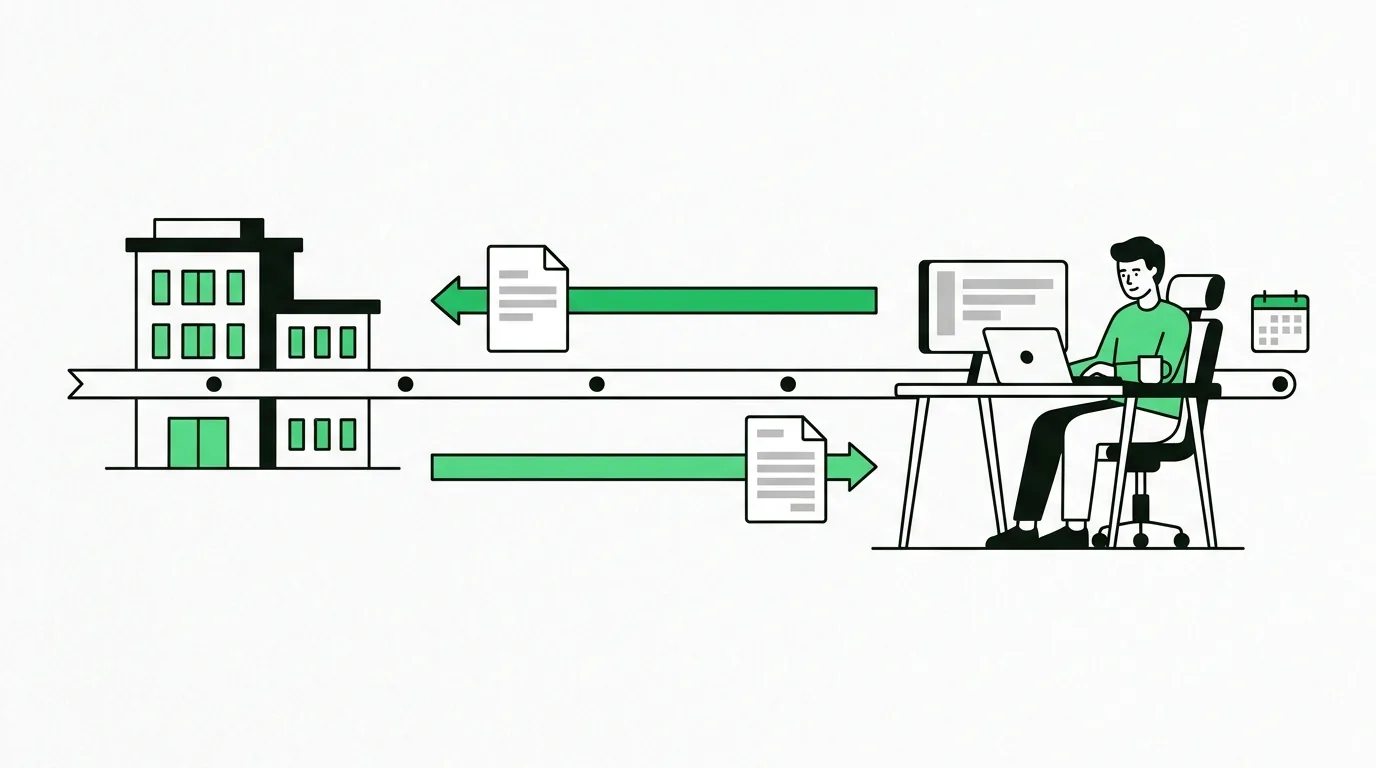
The W-9 and the 1099 are two ends of the same handshake, and only one of them is your job. You fill in a W-9 once, at the start of the relationship, and give it straight to the client so they have your legal name, your taxpayer identification number and your address on file. You never send a W-9 to the IRS. The 1099-NEC goes the other way: the client fills that one in and sends a copy to you and a copy to the IRS the following January, reporting what they paid you across the year. You sign the W-9. You receive the 1099. Neither form calculates any tax, and neither one is something you file.
Everything below is general information for freelance and contract developers working with US clients, not tax or legal advice. Reporting thresholds and form rules change, and your own situation may have wrinkles a blog post cannot see. Where a rule matters below, the IRS page it comes from is linked so you can check it yourself or hand it to an accountant.
Which form is whose job?
The confusion is understandable, because both forms have your name on them and both are about the same money. The difference is direction.
| Form W-9 | Form 1099-NEC | |
|---|---|---|
| Who fills it in | You | Your client |
| Who receives it | Your client, and nobody else | You, and the IRS |
| When | Before the first payment | By January 31 after the year the work was paid for |
| What it contains | Your legal name, tax classification, address, TIN | The total nonemployee compensation the client paid you |
| Does it go to the IRS | No | Yes |
The W-9 exists so the client can fill in the 1099 correctly. That is its entire purpose. The IRS describes it as the way you provide your correct Taxpayer Identification Number to the person required to file an information return, and the form itself carries the instruction "Give form to the requester. Do not send to the IRS."
"NEC" stands for nonemployee compensation. Everything you bill a US business for development work lands in box 1 of that form. If a client sends you a 1099-MISC for ordinary contract work instead, they have used the wrong form, which is worth a polite note because the filing deadlines differ.
What do you actually write on a W-9?
Most of it is mechanical. The version in circulation is Form W-9 (Rev. 3-2024), and for a solo developer it goes like this.
Line 1, name. Your individual name as shown on your Form 1040. Not your brand, not your LLC, not the name on your invoices. If you trade as "Northline Software" but file taxes as Dana Reyes, line 1 says Dana Reyes.
Line 2, business name. Your business, trade or "doing business as" name, if you have one. Northline Software goes here. Leave it blank if you do not have one.
Line 3a, federal tax classification. Check exactly one box. If you have registered nothing, you are an individual or sole proprietor and that is the box. If you run a single-member LLC that has not elected corporate treatment, the IRS treats it as a disregarded entity: the owner's name still goes on line 1 and the LLC name on line 2. If your LLC has elected S corporation treatment, you check the LLC box and write S in the entry space.
Line 3b. Only relevant to partnerships, trusts and estates with foreign partners or beneficiaries. A solo developer skips it.
Line 4, exemptions. Almost always blank. The form is explicit that individuals, including sole proprietors, are generally not exempt from backup withholding. If you are tempted to put a code here, that is the moment to ask an accountant rather than guess.
Lines 5 and 6, address. This is where the paper 1099 gets mailed next January. Use an address you will still be reading mail at, and update the client if you move mid-year.
Part I, taxpayer identification number. For an individual this is generally your Social Security number. If you are a sole proprietor who has an EIN, the form says you may enter either your SSN or your EIN.
Part II, certification. You sign under penalties of perjury that the number is correct, that you are not subject to backup withholding, and that you are a US person. That signature is the reason the form feels heavier than it is: it is a statement of fact, not a calculation.
Two practical notes. First, the W-9 does not expire. You send a fresh one when your name, address, entity type or TIN changes, not every year, though plenty of accounts payable systems will ask annually anyway and it costs you two minutes. Second, the client is expected to keep it on file for four years, which means you are handing a document containing your SSN to a company's finance system. If that makes you uneasy, getting an EIN is free from the IRS and lets you put a number on the form that is not the same one attached to your credit file.
What happens if you do not send one
Backup withholding. A payer who does not have a correct TIN from you is required to withhold 24% of reportable payments and send it to the IRS. You do eventually get credit for it, but you have handed the government an interest-free loan and created reconciliation work for yourself. Returning the form before the first invoice is paid avoids the whole thing.
When should a client ask for your W-9?
Before they pay you the first time. In practice you will meet three patterns:
- The organized client asks for it during onboarding, alongside the contract and the vendor form. Best case. Send it back the same day.
- The client who asks when the first invoice arrives. Fine. The invoice can sit in the queue for a day while finance sets you up.
- The client who asks in the second week of January, because their bookkeeper is trying to close the year and has no TIN for you. This is where mistakes happen: rushed forms, wrong names, and a 1099 that has to be corrected later.
You can also lead. Attaching the W-9 to your first invoice, unasked, is a small move that makes you easy to pay and skips a round of email. It works particularly well with startups whose first contractor you may be.
What does the whole cycle look like, month by month?
Laid out end to end, the sequence is short and it repeats per client, per year.
1. Onboarding, before any money moves. You agree scope and terms. The client sets you up as a vendor. You send the W-9. The client files it and does not send it anywhere.
2. Through the year, every invoice. You bill, they pay. Nothing tax-related happens on either side beyond record keeping. Your invoice history is the ledger that everything in January gets checked against, which is why consistent numbering and dates matter more than they look like they do.
3. Year end, December 31. The client's books close on what they actually paid, not on what you actually billed. This single fact causes most of the mismatches in step 5.
4. January. The client totals the year's payments to you. If the total reaches the reporting threshold, they prepare a 1099-NEC. The payee statement has to be furnished to you and filed with the IRS by January 31.
5. Late January to February. The form lands, by mail or through a vendor portal. You compare it to your own records, which takes about ten minutes if your invoices are in one place.
6. Filing. The 1099 is a cross-check, not an input you copy. Your gross receipts come from your records, reported on Schedule C, with self-employment tax on Schedule SE.
| Stage | Timing | Who acts | Artifact |
|---|---|---|---|
| Onboarding | Before first payment | You | W-9 |
| Billing | All year | You | Invoices |
| Books close | December 31 | Client | Payment totals |
| Reporting | By January 31 | Client | 1099-NEC to you and the IRS |
| Reconciling | January to February | You | Your invoice records |
| Filing | Spring | You | Schedule C, Schedule SE |
The threshold moved, and 2026 is the year it moved
This is the part worth reading twice, because the number most guides quote is now the old one. The IRS states plainly on its information return filing requirements page that for payments made before 2026 the 1099-NEC reporting threshold is $600, and for payments made in 2026 the threshold is $2,000. For payments after 2026 the IRS points payers to Pub. 1099 for the amount that applies.
For a freelance developer that changes the shape of your January. A $1,400 one-off integration for a client you never worked with again used to generate a form. Paid in 2026, it may generate nothing at all. Smaller clients dropping off your 1099 pile is convenient right up to the moment you mistake it for the income not counting, which brings us to the thing that has not changed at all.
What do you do with the 1099 you receive?
Almost nothing, and that surprises people. You do not attach it to anything, you do not file it, and you do not transcribe its box 1 figure onto a form.
What you do is reconcile. Pull your invoice list for that client, filter to payments received between January 1 and December 31, total them, and compare. If the numbers match, file the form with your records and move on.
Then report your income from your own records regardless of what arrived. The IRS is direct about this in its guidance for self-employed individuals: you have to file an income tax return if your net earnings from self-employment were $400 or more, and your business income goes on Schedule C whether or not a client sent a form. A missing 1099 is a missing piece of paper, not missing income. With the threshold at $2,000 for 2026 payments, more of your year will be unreported by clients and none of it is untaxed.
If you want the more detailed version of that record keeping, tracking billable hours cleanly is the upstream half of it, and what belongs on a software development invoice covers the fields that make a year's invoices reconcilable at all.
What if the 1099 amount looks wrong?
Before assuming an error, check the four things that make a correct 1099 look wrong to a developer.
- Timing. You invoiced on December 18. They paid on January 6. That payment belongs to the client's next reporting year, not the one you expected. A December invoice and a January payment will always look like a hole in one year and a bulge in the next.
- Gross, not net. The figure is what the client paid out. Processing fees, platform cuts and currency spreads that reduced what hit your account are not subtracted. You deduct those as expenses on your side.
- Reimbursements. If you passed through a hosting bill or an API subscription on the same invoice and they paid it on the same channel, it can be sitting inside that total.
- The wrong entity. Two people at the same company set you up twice, or your work went through an agency middleman and both parties reported it. Duplicate forms happen.
If it is genuinely wrong, contact the payer and ask for a corrected form. That is also the IRS's own instruction for incorrect or missing tax documents: request the missing or corrected document from the issuer, and if it does not arrive in time, file on time anyway, then amend with Form 1040-X if a corrected version changes the result. Do not silently report the client's number over your own when you know your number is right. Report what you actually received, keep the evidence, and get the correction in writing.
This is the entire argument for keeping invoices somewhere you can query in January rather than scattered across a PDF folder, three email threads and one client's portal. A reconciliation you can do in ten minutes is a non-event. The same reconciliation without records is a weekend.
FAQ
Do international clients send 1099s?
Generally no. The 1099 obligation sits with US payers filing US information returns, so a client in Berlin or Toronto typically sends you nothing at all. The income is still yours to report. The mirror image is worth knowing too: if you are a developer outside the US billing a US company, they will usually ask you for a Form W-8 BEN rather than a W-9. Either way the invoice itself carries more weight, which is covered in invoicing international clients.
Do I need a 1099 to report the income?
No. The form is a report about you, not a permission slip. You report gross receipts from your own records on Schedule C, and you file if net self-employment earnings were $400 or more. With the 2026 threshold at $2,000, expect fewer forms and exactly the same reporting obligation.
SSN or EIN on the W-9?
If you are a sole proprietor with an EIN, the form allows either. Practically, an EIN keeps your Social Security number out of a dozen vendor databases, and applying for one is free and takes minutes. If you have a single-member LLC treated as a disregarded entity, the owner's name still goes on line 1 and the TIN is the owner's SSN, or the owner's EIN if they have one. If you have nothing registered and no EIN, your SSN is the correct and normal answer. There is more on trading under your own name in how to invoice without a company.
Do platform clients like Upwork send one?
Usually not a 1099-NEC. When money reaches you through a payment app, marketplace or card processor, that platform may file a Form 1099-K instead, and the client behind it should not also report the same payments as nonemployee compensation. The IRS sets the 1099-K reporting threshold at more than $20,000 in more than 200 transactions, so most solo developers will never see one, and the income remains reportable either way. Direct-contract work billed off platform is a different case, covered in Upwork direct contracts and invoicing.
The part you control
You do not control the threshold, the deadline, or whether a client's bookkeeper types your name correctly. You control whether your side of the record is clean enough to check theirs against in ten minutes.
That is what Billable is for. Build the invoice in the browser, keep the numbering consistent, and export the saved list as JSON when January arrives so the comparison is a diff rather than an archaeology project. No account, no server, and your data stays on your machine.