 billable.dev
Invoicing Upwork Clients: On-Platform and Direct
By Mark Fulton · · 12 min read
Last verified:
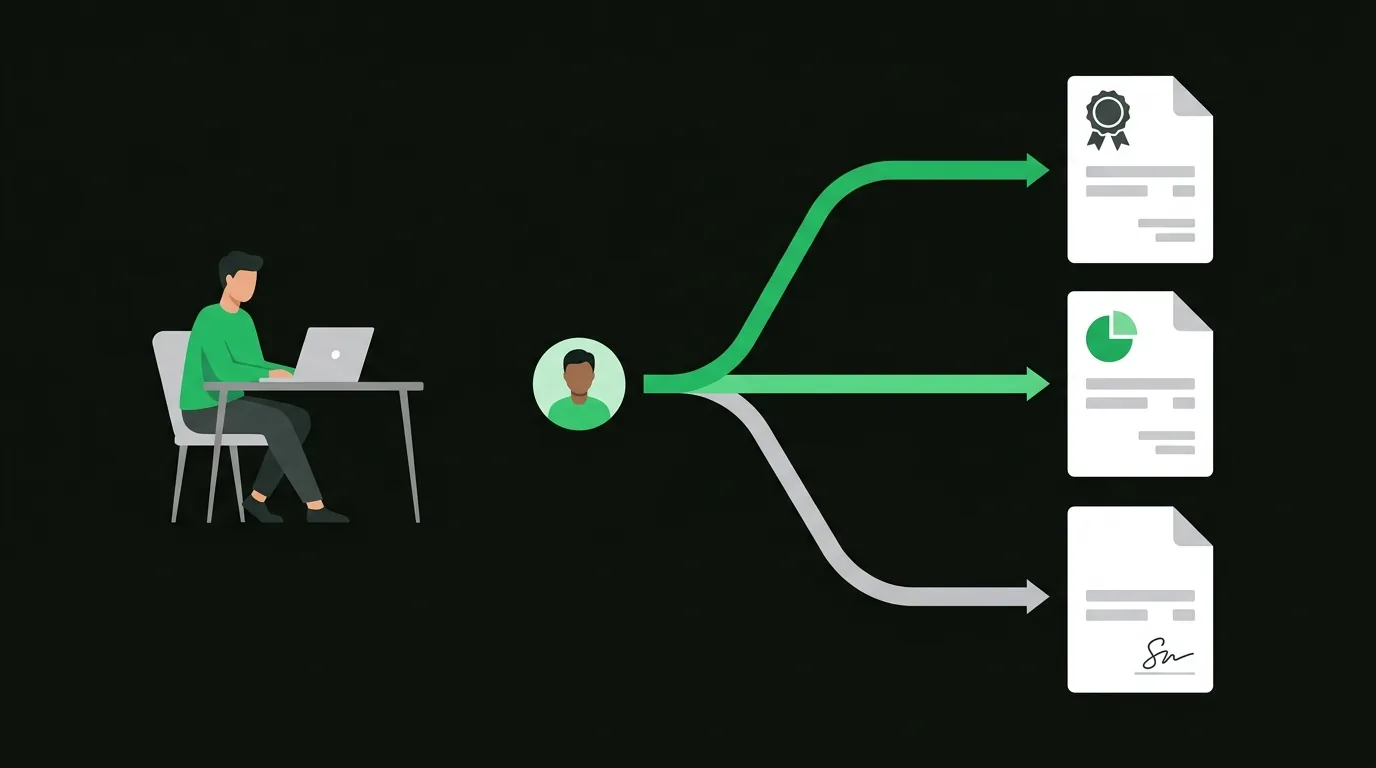
The question has three different answers, and choosing the wrong one is the fastest way to lose an account you spent two years building. On ordinary marketplace contracts you do not write an invoice at all: you fund a milestone or submit hours, and Upwork generates the invoice from you to the client, plus a second invoice from Upwork to you for its own fee. On Direct Contracts the billing still runs through Upwork, but the contract sits outside the public marketplace, carries its own fees, and has eligibility rules about who already holds an Upwork account. Only once a contract has been formally converted, or the exclusivity period in Upwork's Terms of Service has expired, do you invoice a former Upwork client yourself with your own invoice number, your own terms, and your own bank details. Everything below is about telling those three situations apart before you send anything.
This is general information about invoicing practice, not tax or legal advice, and it is not an official statement of Upwork's terms. Platform fees, eligibility rules, and exclusivity periods change. The details described here were checked against Upwork's own help documentation in September 2026. Before you act on any of it, read Upwork's current Terms of Service and fee pages, and talk to an accountant licensed where you live about the tax side.
When does Upwork handle the invoice for you?
On a standard marketplace contract, the kind that started with a job post or an invitation through the talent marketplace, invoicing is not your job and there is no button that makes it your job.
For a fixed-price contract, the client funds a milestone into escrow before you start. You submit the work, the client approves it, the funds release after a short security hold, and Upwork produces the invoice. For an hourly contract, you log time through Upwork's desktop app or add manual hours, the week closes, the client gets a review window, and payment moves on Upwork's weekly billing cycle. Again, Upwork produces the invoice.
What you actually receive is two documents, and freelancers routinely confuse them at tax time:
- An invoice issued in your name to the client, for the gross contract amount. Upwork generates it from your profile details. This is the sales document for the work you did.
- An invoice from Upwork to you, charging the freelancer service fee. This is a purchase document. It is a business expense, and it is deducted from your payment automatically rather than billed separately.
Both live under your transaction history, downloadable individually or as a date range. Pull them quarterly rather than scrambling in April, because Upwork's reporting interface is the only place they exist, and access to it depends on your account staying in good standing.
The practical consequence: on a marketplace contract, emailing your own invoice is not just unnecessary, it is a signal to the client that they can pay you outside the platform. That is where people get into trouble, and it is usually accidental.
What are Direct Contracts and when do they apply?
"Direct Contracts" is one label covering two genuinely different arrangements, and most guidance on the subject blurs them together. The difference decides who pays what, and who is even allowed to participate.
Freelancer-initiated Direct Contracts are the ones you reach for when you found a client entirely on your own, through your site, a referral, a conference, or a cold email, and you want Upwork's payment rails and dispute process rather than chasing an invoice yourself. You create the contract and invite the client. The client has to create an Upwork account to accept it. They deposit funds upfront, the funds are protected until the work is approved, fixed-price work runs on milestones, and hourly work is reviewed weekly. As of September 2026, Upwork's help documentation describes the client paying a Contract Initiation Fee per contract along with a Marketplace Fee, and a freelancer service fee applies on your side. Upwork states plainly that those amounts can vary by market conditions and billing method, which is exactly why you should read the current fee page rather than trust a number in a blog post, including this one.
Client-initiated direct contracts run the other way. A client who already uses Upwork invites someone they know from outside the platform to join and work through it. As of September 2026, Upwork's documentation says the freelancer in this arrangement must never have held an Upwork account, that these contracts carry no Upwork fees for the freelancer, and that the offer expires if it is not accepted within a week. The tradeoff is real. Because the relationship is already trusted, payments are not held in escrow, and Upwork's payment protection and dispute process do not apply. You are trading a fee for the loss of the safety net.
In both cases, the invoice is still generated by Upwork. You are not writing one. What changes is the fee arithmetic and, in the second case, the risk you carry if the client goes quiet.
The eligibility rule catches people out constantly. If you already have an Upwork account, you cannot be brought in on a client-initiated direct contract, full stop. And a client you originally met through the marketplace is not a candidate for a "direct" arrangement of any kind, because the exclusivity terms already cover that relationship.
When can you legitimately take a client off-platform?
Here is the rule that governs everything else. When you find a client through Upwork, Upwork's Terms of Service require the work and the payments to stay on Upwork for the first two years of that relationship. Not the first two years of the contract. The relationship.
Inside that window you have exactly one compliant route off the platform, and it is called contract conversion. The client initiates it from the contract, Upwork calculates a Conversion Fee, the fee is paid before any money moves outside the platform, and the freelancer accepts the request. As of September 2026, Upwork's help pages describe the Conversion Fee as 13.5% of a freelancer's estimated annual earnings, calculated as an hourly rate multiplied by 2,080 hours. On hourly contracts they use the highest rate agreed between that specific client and freelancer. On fixed-price contracts they use the hourly rate listed on the freelancer's profile. Discounts exist, including a substantially reduced fee once a contract is more than two years old, and further reductions based on how much the client has already spent on the platform. Treat the formula as something to re-check rather than budget against, because pricing pages move.
Paying a client outside Upwork without going through conversion is a Terms of Service violation that can end with permanent account suspension for both parties. There is no version of this where the client quietly sends the money another way and nothing happens.
What conversion does not cost you is your record. Converted contracts stay in your work history, the earnings still count toward your profile totals, and your Job Success Score is unaffected. What you lose is the billing infrastructure and the payment protection. From that moment, invoicing is entirely yours.
Decision tree: where did this client come from?
Work this top to bottom. The first line that matches is your answer.
- Did you meet this client through an Upwork job post, proposal, or marketplace invitation?
- Yes. The relationship sits inside Upwork's exclusivity terms for two years.
- Still inside the window, no conversion paid → Upwork invoices. You send nothing. Fund milestones or submit hours as normal.
- Conversion requested by the client, fee paid, request accepted → You invoice directly from here on. Your numbering, your terms, your bank details.
- Relationship older than two years → Check the current terms first, then expect a reduced conversion step rather than a free walk-away.
- No, you found this client entirely outside Upwork.
- You want escrow and dispute support → Freelancer-initiated Direct Contract. Upwork invoices, the client pays platform fees, you pay a service fee.
- The client already uses Upwork and wants to bring you on, and you have never held an account → Client-initiated direct contract. Upwork invoices, no fee on your side, and no escrow protection either.
- You want none of the above → Invoice them yourself. They were never an Upwork client, so no exclusivity applies. This is an ordinary freelance engagement.
- Yes. The relationship sits inside Upwork's exclusivity terms for two years.
| Situation | Who writes the invoice | What you have to set up |
|---|---|---|
| Marketplace contract, inside the window | Upwork | Nothing. Download invoices from transaction history |
| Freelancer-initiated Direct Contract | Upwork | Client account, contract terms, milestones |
| Client-initiated direct contract | Upwork | A new Upwork account, and eyes open about no escrow |
| Converted contract, fee paid | You | Numbering, payment terms, late fees, bank details |
| Client you sourced yourself | You | The same, plus a contract |
What does your own invoice need that Upwork's didn't?
The moment you leave the platform, a stack of things Upwork silently handled becomes yours. Freelancers who spent years on marketplace contracts consistently underestimate this list.
Your identity block. Legal name or registered trading name, full address, email, and a tax identifier if your jurisdiction requires one on invoices. Upwork pulled this from your profile. Now you type it. If you have never traded outside a platform, how to invoice without a company covers what goes where the business name field sits when you are a sole proprietor.
An invoice number you control. Upwork's numbering disappears with the platform. Start a sequence you can defend, keep every number unique and never reused, and decide the format once rather than per invoice.
Payment terms in writing. Upwork enforced its own cycle. Nothing enforces yours except the invoice and the contract behind it. State the due date as an actual date, not "net 30" on its own, and name a late fee if you intend to charge one.
Bank details and an accepted payment method. Escrow is gone. Decide now whether you want a deposit before the first off-platform milestone, because there is no longer money sitting in a protected account waiting for approval.
A dispute path. There is no arbitration desk any more. Your contract is the dispute path, so it needs a scope definition, an approval process, and a work-stop clause. The mechanics of all of this are in how to invoice as a freelance developer, and the free invoice template for developers has the fields already laid out.
One more thing that only shows up later. On Upwork, the platform was your proof of what was agreed and approved. Off it, your invoice is the primary record, so line items need to be specific enough to stand on their own six months from now. "Development work, 40h" was fine when a milestone description sat behind it. It is not fine when the invoice is all there is.
How do taxes and records differ off-platform?
The income is the same income. What changes is who reports it, what paperwork arrives, and who has to keep the evidence.
While you were on the platform, Upwork acted as the payment intermediary. In the US that typically means a Form 1099-K rather than a 1099-NEC, because 1099-K is the return used for payments settled through a third-party network. The IRS explains what triggers one and how to reconcile it in its guide to understanding your Form 1099-K. A 1099-K reports gross amounts, which is why the figure on it can look larger than what landed in your bank. Platform fees were deducted after the gross was recorded. Those fees are a deductible business expense, and the second Upwork invoice, the one charging you, is what evidences them.
Off-platform, a US business client is generally the party filing an information return for what it paid you, usually a Form 1099-NEC. The IRS page on reporting payments to independent contractors sets out that obligation and the W-9 you will be asked to complete. Note the mismatch this creates in a conversion year. Part of your income from the same client may show up on a 1099-K and part on a 1099-NEC. Reconcile it deliberately instead of assuming something has been double counted.
Record-keeping is the part that genuinely gets harder. On Upwork, the platform was your archive. Off it, you are. The IRS guidance on recordkeeping for the self-employed describes keeping records that support the income and deductions on a return for as long as they may be needed, and once you are off-platform there is no vendor holding a parallel copy for you.
Two habits close the gap. First, export your full Upwork transaction history before you convert or wind down, both the invoices issued in your name and the fee invoices issued to you, and store them where you store everything else. Access to a platform archive is not a filing system. Second, keep the conversion payment receipt, because it is your evidence that the off-platform arrangement was compliant if anyone ever asks. Chasing late payment is now your problem too, and getting paid on time with net terms, deposits and late fees covers the terms that make that manageable.
Going direct means writing your own invoices, and there is nothing to install for that. Fill in the fields, add your line items, download the PDF. Generate an invoice free at billable.dev: no signup, no account, and the data never leaves your browser.
FAQ
Can I invoice an Upwork client outside Upwork?
Only if the relationship is not covered by Upwork's exclusivity terms, or the contract has been formally converted. Clients found through Upwork are required to keep work and payments on the platform for the first two years of the relationship, and the compliant way out inside that window is contract conversion, initiated by the client and paid before any outside payment is made. A client you sourced yourself and never brought onto Upwork is not restricted at all. Paying around the platform without conversion is a Terms of Service violation that can result in permanent suspension for both sides, so check the current terms rather than a forum thread.
What fee do Direct Contracts charge?
It depends which arrangement you mean, and it changes, so treat any specific number as something to verify before you quote a client. As of September 2026, Upwork's documentation describes freelancer-initiated Direct Contracts as carrying a Contract Initiation Fee per contract plus a Marketplace Fee on the client's side, with a freelancer service fee on yours, and says explicitly that those amounts can vary by market conditions and billing method. Client-initiated direct contracts are described as carrying no Upwork fee for the freelancer, with no escrow and no payment protection in exchange. Read the current fee page before you commit to a net figure.
Does Upwork send 1099s?
For US freelancers, the form that typically arrives from a platform acting as a payment settlement entity is a Form 1099-K, not a 1099-NEC, and it reports gross payment volume before platform fees are deducted. Whether one is issued depends on the reporting thresholds in force for that tax year, which have moved more than once, so the IRS Form 1099-K guidance is the place to check the current rule. Receiving no form does not make the income unreportable. Self-employment income is reported whether or not a return was filed about it.
Do I keep Upwork's invoices for my records?
Yes, and both kinds. The invoice issued in your name to the client evidences the income. The invoice Upwork issues to you for its service fee evidences the deduction that explains why your bank deposit is smaller than the gross figure on the 1099-K. Download them as you go rather than relying on continued access to the account, and store them alongside your own invoices under whatever retention period applies to your tax records.