 billable.dev
Invoice Generator or Invoicing Software: Which Fits?
By Mark Fulton · 2026-09-22 · 10 min read
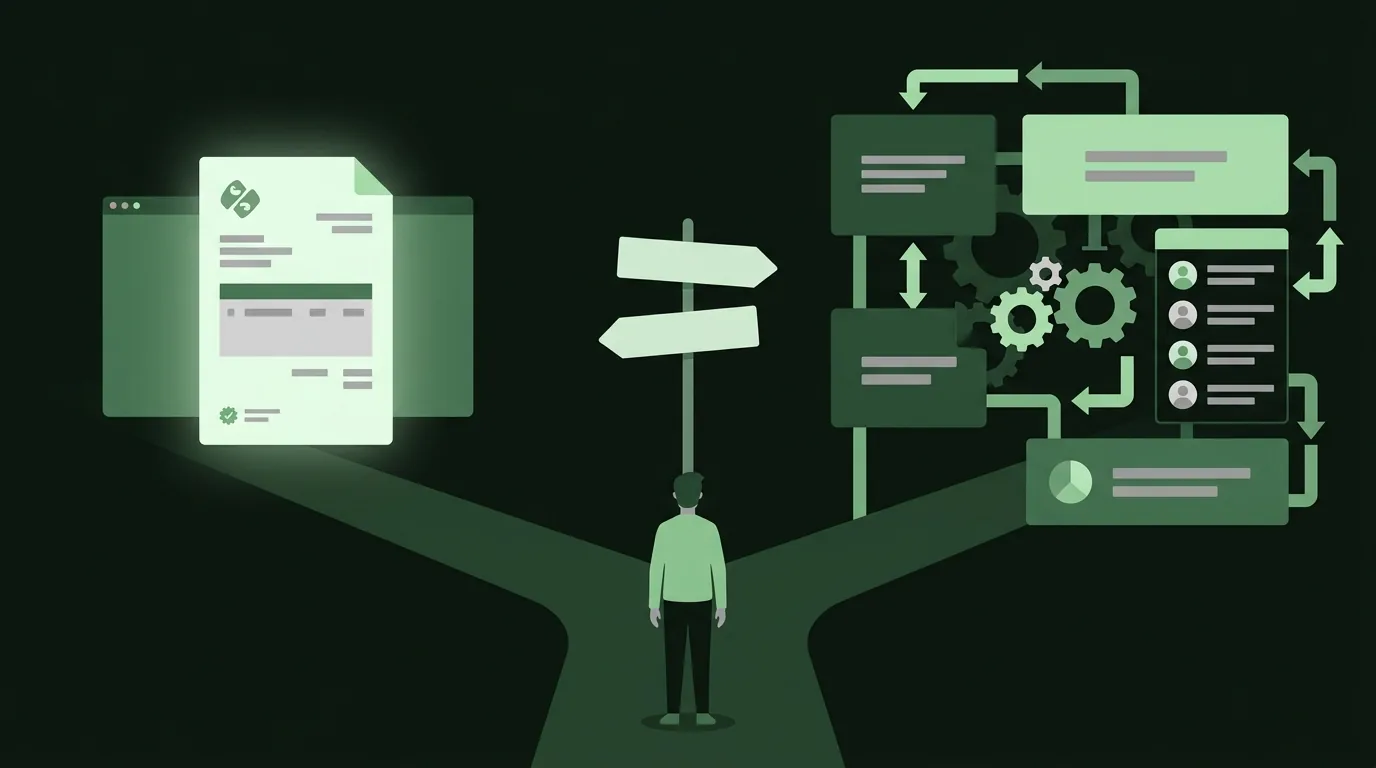
If you send a handful of invoices a month, bill each one by hand anyway, and don't need the tool to chase clients or charge cards for you, an invoice generator covers the job. Invoicing software earns its place when something has to happen without you: invoices that send themselves every month, reminders that go out at day 7 and day 14, card payments that mark the invoice paid, or books that reconcile against your bank. The question isn't which is better. It's which of those jobs you actually have. The decision tree below sorts it in four questions, and names the software worth paying for when a generator isn't enough.
A disclosure first: this is the Billable blog, and Billable is a generator. So this post has a bias, and it's worth stating which way it cuts. We'd rather you use the right tool than the wrong one of ours, because a freelancer who outgrows a generator and keeps forcing it ends up with a messy download folder and late payments. Where software is the better call, it says so below, with prices checked on each vendor's pricing page in September 2026.
What does invoicing software do that a generator doesn't?
Both produce the same artifact: a PDF with your details, the client's details, line items, a total and payment terms. A client can't tell which one made it. The difference is everything that happens around the document.
A generator is a form that makes a PDF. The better ones remember your details, number invoices for you and keep a list of what you've sent. Billable does those, plus imports line items from a git log or CSV and keeps everything in your browser. But a generator waits for you. Nothing happens unless you open it.
Invoicing software is a system that acts on its own schedule. The features that justify it, in rough order of how often they matter to a freelancer:
- Recurring invoices that send themselves. A retainer client gets an invoice on the first of every month without you touching it.
- Automatic payment reminders. Wave's Pro plan, for example, can schedule reminders to go out 3, 7 and 14 days after an invoice is due.
- Online payments tied to the invoice. The client clicks "pay," the card clears, the invoice flips to paid.
- A client portal. Clients see their open and past invoices in one place.
- Time and expense tracking that feeds line items directly.
- Accounting. Bank connections, categorized expenses, profit and loss reports your accountant can use.
The honest way to read that list: if none of the six are things you need, software is overhead. If one of them is costing you real money or real hours every month, software pays for itself quickly.
How many invoices a month before software earns its keep?
There's no official number, but the math is simple enough to do yourself. Software saves time per invoice, and it saves more on invoices that repeat or go unpaid.
Take a solo developer with three clients. Writing each invoice in a generator takes a few minutes if your details and the client's are saved. That's well under half an hour a month, and no software can shave much off it. Now make one of those clients a monthly retainer who pays late every other month. The generator still makes the invoice fine. What's costing you is the chasing: remembering to follow up, writing the reminder, checking your bank. That's the part software automates.
So volume matters less than two other things:
- How many invoices repeat on a schedule. Recurring billing is the single strongest reason to switch.
- How many invoices go late. If chasing payment is a regular chore, automated reminders are worth a monthly fee. If your clients pay on time, they aren't.
As a working rule for developers: under about five invoices a month, mostly one-off or milestone based, with clients who pay, a generator is enough. Past that, or with even one recurring client you'd rather not think about, start looking at software. Our guide on getting paid on time with net terms, deposits and late fees covers the terms that keep the chasing down no matter which tool you use.
The decision tree
Work through it top to bottom and stop at the first answer that fits.
1. Do you need invoices sent automatically on a schedule?
   ├── Yes → invoicing software (Invoice Ninja Free or Pro, or Bonsai)
   └── No  → go to 2

2. Do you need the tool to chase late payers or take card payments?
   ├── Yes, and I want it free → Wave Starter (card payments) or
   │                             Invoice Ninja Free (up to 5 clients)
   ├── Yes, and I need auto-reminders → Wave Pro
   └── No  → go to 3

3. Do you need bookkeeping (bank feeds, expenses, P&L) in the same tool?
   ├── Yes → accounting software with invoicing built in
   │         (Wave, FreshBooks, QuickBooks)
   └── No  → go to 4

4. Do you send more than about 5 invoices a month?
   ├── Yes → consider software for the saved clients and reporting,
   │         though a generator with saved invoices still works
   └── No  → an invoice generator is enough
Two notes on reading it. First, a "yes" at step 3 doesn't always mean you need it now. Plenty of freelancers keep invoices in a generator and hand a spreadsheet plus bank statements to an accountant once a year. Second, a developer who bills hourly from a repo can sit in generator territory at fairly high volume, because the slow part (reconstructing what you did) is solved by importing the work log, not by software. More on that below.
What do Wave, Invoice Ninja, and Bonsai each cost now?
These are the three worth knowing if the tree pointed you at software, plus FreshBooks for comparison. All prices were read on each vendor's own pricing page, as of September 2026. Vendors change plans often, so confirm before you commit.
| Tool | Free option | Paid price (as of September 2026) | What the paid tier adds | Best fit |
|---|---|---|---|---|
| Wave | Starter: $0, unlimited estimates, invoices and bookkeeping records; card payments at 2.9% + $0.60 per transaction | Pro: $19/month, or $190/year | Automated late payment reminders, reduced card fees on the first 10 transactions a month | Freelancers who want free invoicing and basic books in one place |
| Invoice Ninja (hosted) | Free: $0, up to 5 clients with unlimited invoicing; recurring and auto-billing included | Pro: $14/month or $140/year. Enterprise from $18/month | Unlimited clients, removes Invoice Ninja branding | Developers with a few clients who want recurring billing free |
| Invoice Ninja (self-hosted) | Free to self-host, source available under the Elastic License v2 | Your server bill | No client limits or invoice caps, per its self-hosting page | Developers comfortable running a Laravel app |
| Bonsai | 7-day free trial | Invoicing starts at Essentials: $25/user/month, or $19/user/month billed annually | Contracts, proposals, client portal, expense tracking alongside invoices | Freelancers who want contracts and invoices in one tool |
| FreshBooks | None listed | Lite $23/month (5 billable clients), Plus $43/month (50), Premium $70/month (unlimited), before promotional discounts | Full accounting with invoicing | Service businesses that need accounting more than invoicing |
A few things the table doesn't show. Bonsai's cheapest plan, Basic, doesn't include invoices at all; invoices and payments start at Essentials. FreshBooks prices by billable clients, so a developer with six clients has already outgrown Lite. And Invoice Ninja's free hosted plan is the most generous free option here for a developer with a small client list, because recurring invoices and auto-billing are included at $0. QuickBooks also bundles invoicing with accounting, and it's worth asking your accountant which tool they already work in, but its plans are aimed at bookkeeping first.
When is a generator genuinely enough?
More often than software roundups admit. A generator covers you when:
- Your invoices are one-off or milestone based. A fixed-price build billed in three milestones is three invoices over a few months. Nothing about that needs automation. Our post on how to invoice as a freelance developer walks through the full flow.
- You bill hourly and the hours live in your commits. The hard part of an hourly invoice is remembering what you did. Billable's git log import turns
git logoutput into draft line items grouped by day, and you set the hours. Software with a timer only helps if you remember to start the timer. - You don't want client data on someone else's server. A browser-only generator never holds your client list. Software, by definition, does.
- You have a retainer but don't mind a monthly two-minute task. Duplicating last month's invoice and changing the dates is quick. It only becomes a problem when you forget, and a calendar reminder fixes that.
If you're weighing generators against each other, our comparison of free invoice generators with no sign-up scores five of them, ours included, on where data goes, saving, import and export.
The limits are real, though. A generator won't email the invoice, won't take card payments, won't notice a client is late, and won't do your books. If any of those is a weekly headache, the tree above already told you what to do.
Do you still need records either way?
Yes, and this part doesn't change with the tool. The IRS says you may choose any recordkeeping system suited to your business as long as it clearly shows your income and expenses, and it lists invoices among the supporting documents for gross receipts. Nothing requires invoicing software. A folder of PDFs plus bank statements is a valid system if it's complete and kept.
How long to keep them depends on your situation. The IRS page on how long to keep records gives 3 years from filing in the common case, with longer periods in specific situations. That's the practical argument for picking a tool that exports your data, whichever kind it is. This is general information, not tax advice; check your own case with a tax professional.
What does switching later look like?
Less painful than people fear, if you plan for it now. Switching is really three separate moves:
- Clients. Names, addresses, emails and tax IDs. Most invoicing software accepts client lists by import or you retype them. With five or ten clients, retyping takes minutes.
- Open invoices. Anything unpaid at the switch. The clean approach: leave open invoices where they are until they're paid, and start new ones in the new tool.
- History. Past invoices you need for records. You don't need these inside the new tool. You need them saved somewhere you control, as PDFs and, ideally, as a data file.
Two habits make any future switch easy. Keep numbering continuous across tools, so if your last generator invoice was 2026-0014, the first one in software is 2026-0015. And export your data on a schedule. Billable exports each invoice as JSON for free, and Pro exports every saved invoice at once as CSV plus a full JSON backup, which is exactly the file you want in hand the day you move.
FAQ
Can I run a freelance business on a generator alone?
Yes, if your invoices are mostly one-off or milestone based and your clients pay on time. Plenty of freelancers do. The tax side only asks for complete, kept records, and PDFs plus bank statements satisfy that. You'll want software once recurring billing, automatic reminders or card payments become regular needs.
Is self-hosted Invoice Ninja worth the setup?
For a developer who already runs servers, often yes. Its self-hosting page says it's free to self-host with no client limits or invoice caps, under the Elastic License v2. The cost is your time: installing it, updating it, backing up the database and keeping email delivery working. If you'd rather not maintain another app, the hosted free plan covers up to 5 clients.
Do I lose my invoices if I switch tools?
Not if you keep copies. Download PDFs of everything you've issued, and export your data if the tool offers it, before you cancel anything. Leave unpaid invoices in the old tool until they clear. Your records need to exist somewhere you control, not inside any one product.
What about accounting and taxes?
An invoice generator doesn't do bookkeeping, and neither does lighter invoicing software. If you want bank feeds, categorized expenses and reports in one place, pick software with accounting built in, such as Wave, FreshBooks or QuickBooks. If you're happy handing an accountant your invoices and statements, a generator plus a spreadsheet is fine. This is general information, not tax advice.
If you're in generator territory
If the tree landed you at "a generator is enough," Billable runs in your browser: no account, no server, invoices saved on your device, with git log and CSV import for the line items. It's free. If you want your own branding, estimates, the recurring helpers and export-all, Billable Pro is $4 a month billed $24 every six months, or $79 once for life. And if the tree pointed you at software, go with that. The right tool is the one that matches the jobs you actually have.